
Setting the {environment} Slug
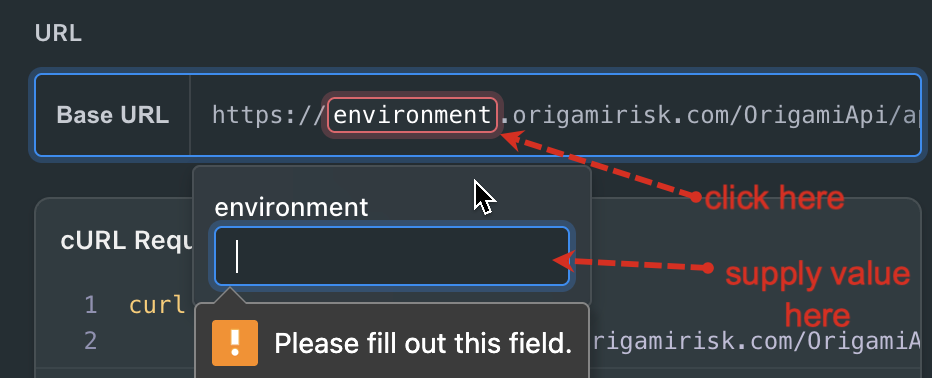
When you see {environment} that’s your cue to manually specify which environment you want to target with your API calls. You can choose any valid environment, depending on your integration needs. This variable isn’t automatically resolved, so be sure to replace {environment} with the appropriate value before making requests.
Valid environment values include:
livepreprodstaging
This value is "sticky". Once you set it, the value will persist for the remainer of your session. You change it (which you can do at any time by simply clicking on it). This gives you full control over where your calls are routed and ensures you're working against the right context for your use case.
Updated 6 months ago